How to take automated screenshots of Yahoo Finance stock pages

Learn how to automatically capture Yahoo Finance stock pages on a recurring schedule with PagePixels.

Introduction

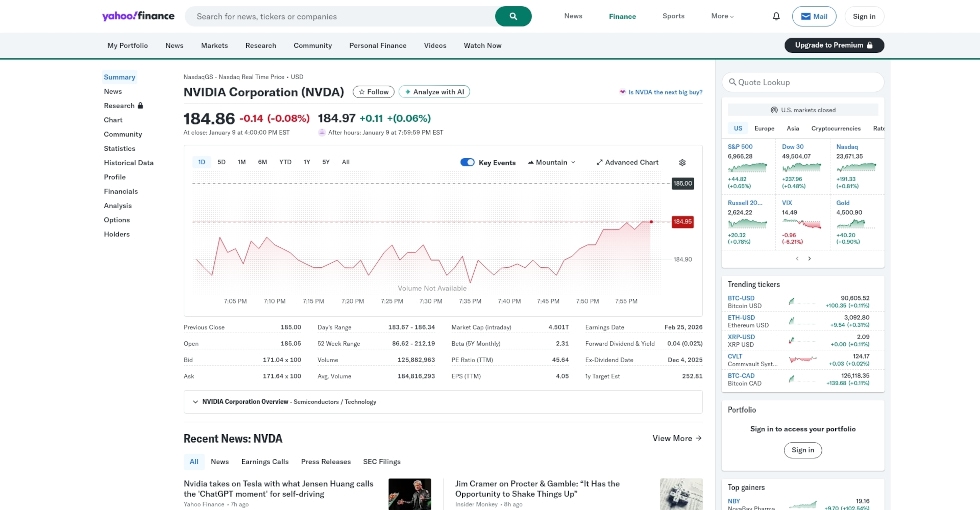
PagePixels is a screenshot automation tool that you can use to take automated scheduled screenshots of web pages, including screenshots of Yahoo Finance stock pages.

PagePixels is free to start, and this tutorial shows you the steps to automatically capture screenshots of a Yahoo Finance stock page on an hourly schedule.

Example
Prerequisites

Before you start, you'll need:

  • A PagePixels account.
  • A link to a Yahoo Finance stock page. For example: https://finance.yahoo.com/quote/NVDA/

Quick start with a screenshot template

The quickest way to start capturing your Yahoo Finance stock page is to use the screenshot template below:

Screenshot template

Take screenshots of a Yahoo Finance stock page

Try template

Note: The template above uses Advanced Scheduling to only take hourly screenshots during market hours (Mondays-Fridays, 9:30 AM - 4:00 PM, EST).

And if you prefer to set up your Yahoo Finance stock page screenshot automation from scratch, step-by-step instructions are available in the next section.

How to automate screenshots of Yahoo Finance stock pages

To take recurring screenshots of a Yahoo Finance stock page every hour:

1

Create a screenshot

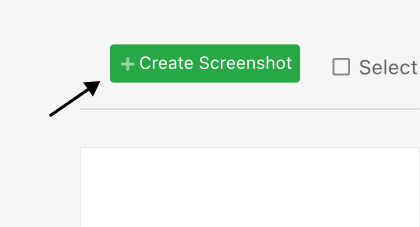
Log in to your PagePixels account, and click the +Create Screenshot button.

2

Set your schedule

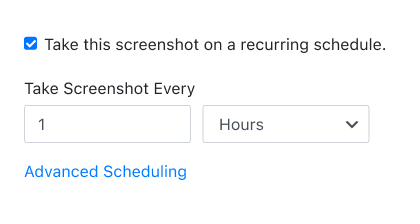
By default, recurring screenshots are set to every 5 minutes.

For an hourly screenshot, use the input and drop-down fields to change the default values to: 1 Hours

TIP: To schedule screenshots by days of the week, time of day, and time zone -> Click the blue Advanced Scheduling option.

3

Add URL

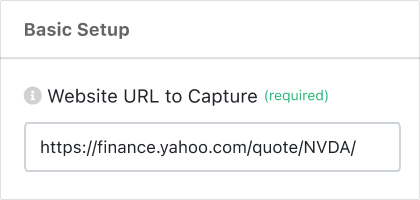
Copy and paste a link to a Yahoo Finance stock page into the Website URL to Capture field.

For example: https://finance.yahoo.com/quote/NVDA/

4

Add Multi-Step Actions

PagePixels Multi-Step allows you to perform actions on a page before taking a screenshot.

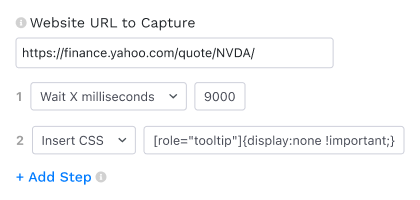
In the case of a Yahoo Finance page, click +Add Step and add the following actions.

Wait X milliseconds

This action waits for a set amount of time, for example: 9000 (ms)

This will give the Yahoo Finance page enough time to load.

You can increase this time if needed. (Max is 15000, unless you have the 5-minute TimeOut Addon)

Insert CSS

This action injects Custom CSS into the web page.

For example, to stop the tooltip element from blocking stock information on the Yahoo Finance page, use the following CSS:

[role="tooltip"]{display:none !important;}

For more information about Multi-Step, check out the Multi-Step Screenshot guide here.

5

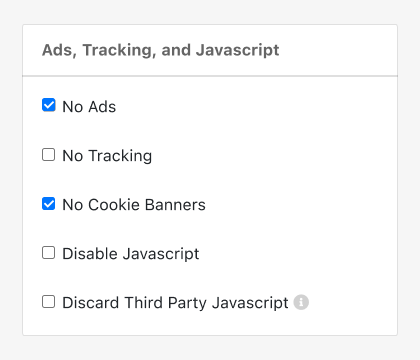
Check "No Ads" and "No Cookie Banner" options

Tick the No Ads and No Cookie Banner checkboxes to prevent ads and cookie banners from displaying in your screenshot.

6

Save Screenshot

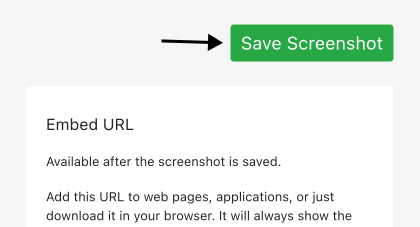
Click the green Save Screenshot button (top-right).

Your screenshot automation is officially set, and your first Yahoo Finance stock page screenshot will be taken shortly.

What else can PagePixels do?

When you automate screenshots of your Yahoo Finance stock pages with PagePixels, you can also:

  • Schedule recurring screenshots of your Yahoo Finance stock pages by time interval, days of the week, time of day, and time zone (no other tools required).
  • Automatically post screenshots of your Yahoo Finance stock page to a Slack channel, a Custom Webhook address, or upload the images to your Dropbox account, with PagePixels' built-in integrations.
  • Leverage no-code integration platforms Zapier, Make, or Power Automate to automate sending your Yahoo Finance stock page screenshots to thousands of services and apps, such as Google Sheets, Google Drive, and OneDrive.
  • Dynamically display the latest Yahoo Finance stock page screenshot on your website, dashboard, or favorite app, using a single Embed URL (no iframe required).
  • Take and have AI process your Yahoo Finance screenshot images with the AI Analysis Screenshot feature. Or have AI compare and contrast your Yahoo Finance stock page screenshots with the Multiple Image AI Analysis endpoint of our Screenshot API.
  • Use PagePixels' full-featured Screenshots API to programmatically take scheduled and instant screenshots of your Yahoo Finance stock pages.
  • Capture screenshots from different locations around the world with PagePixels' Real Location Screenshots feature.
  • Automate filling out forms, performing searches, applying filters to datasets, and more - all before taking a screenshot with Multi-Step Screenshot functionality.
  • Convert data from third-party APIs, HTML emails, and other HTML content into screenshots using the Custom HTML Screenshots feature.
  • Take automatic screenshots of an entire web page with the Full Page option.
  • Screenshot only a specific element on a web page with CSS Selector Screenshot capabilities.

Discover even more possibilities of what you can do on our Features page →

Support

Questions? Contact us anytime by email:

support-tickets@pagepixels.com

Or send us a message through our Support page.